For complete beginners · No coding experience required

Never built a website before?Let’s change that.

You don’t need to be a developer or a designer. Idea → Live guides you step by step through creating your own professional-looking website with Claude, from your first idea to a live result.

idea-to-live.com/app · your studio
A screen recording of the real Idea to Live builder: the intro tower lights up floor by floor, one floor per step, then the lobby opens.

Real screen recording of the builder · sites around it: Marta’s own projects

Who it’s for

You don’t need to know how to build websites. That’s why we built this.

Maybe you’ve never written a line of code.

Maybe you don’t know what HTML, CSS or a prompt is.

Maybe you just see beautiful websites and wish you could make something like that yourself: for your business, your portfolio, your brand, or the project you’ve always wanted to launch.

But you don’t know where to begin. That’s completely okay.

Idea → Live was designed for exactly this. You don’t arrive with technical knowledge. You build the skill as you follow the process.

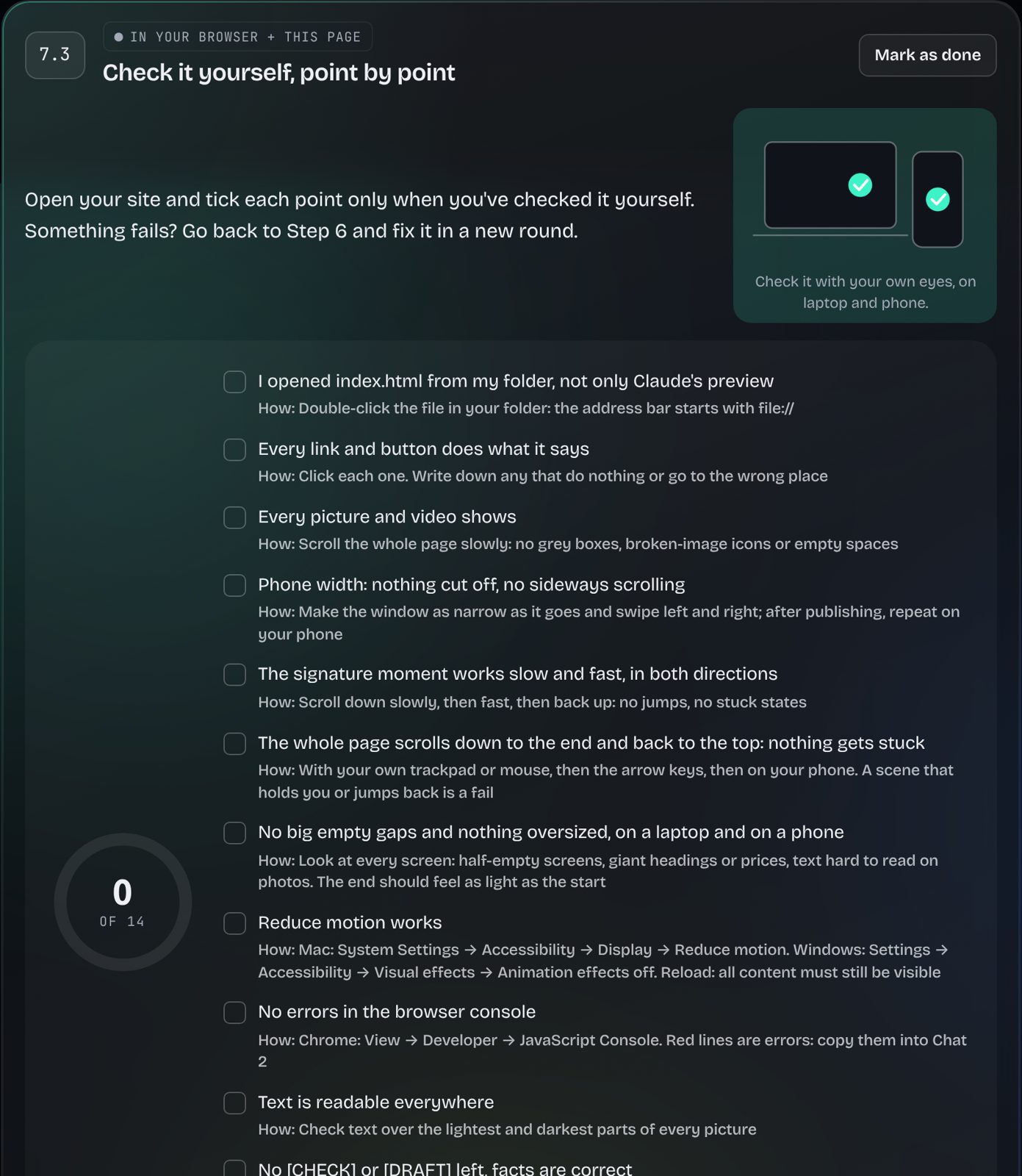
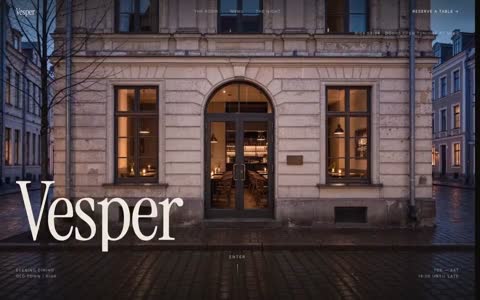
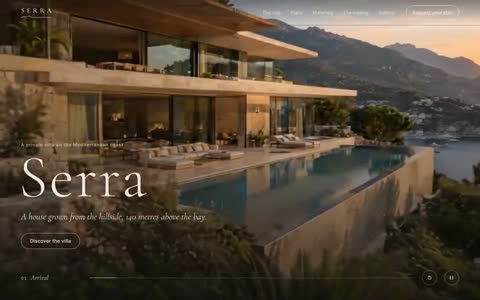
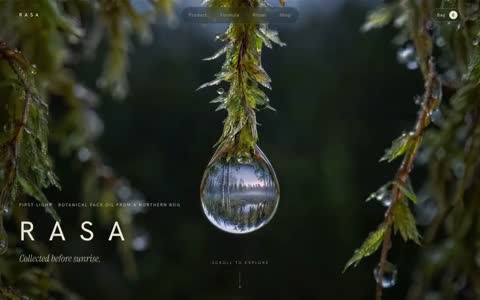
Pictures: Marta’s own sites, shown as examples of what each kind of project can become.
The honest part

You have the idea. What's stopping you?

You see beautiful websites everywhere. You can picture yours. You have references, you know what you like. Then come the questions.

The turn

What if you didn't have to figure it all out alone?

Every question has its place in a clear order. Answer one at a time, and the overwhelming becomes a route.

Meet Idea → Live

Your personal, interactive website-building studio.

It isn't a video course. It's a workspace you build in. It asks the questions, turns your answers into prompts for Claude, helps you decide the look and the motion, and walks you to a live site.

idea-to-live.com/app
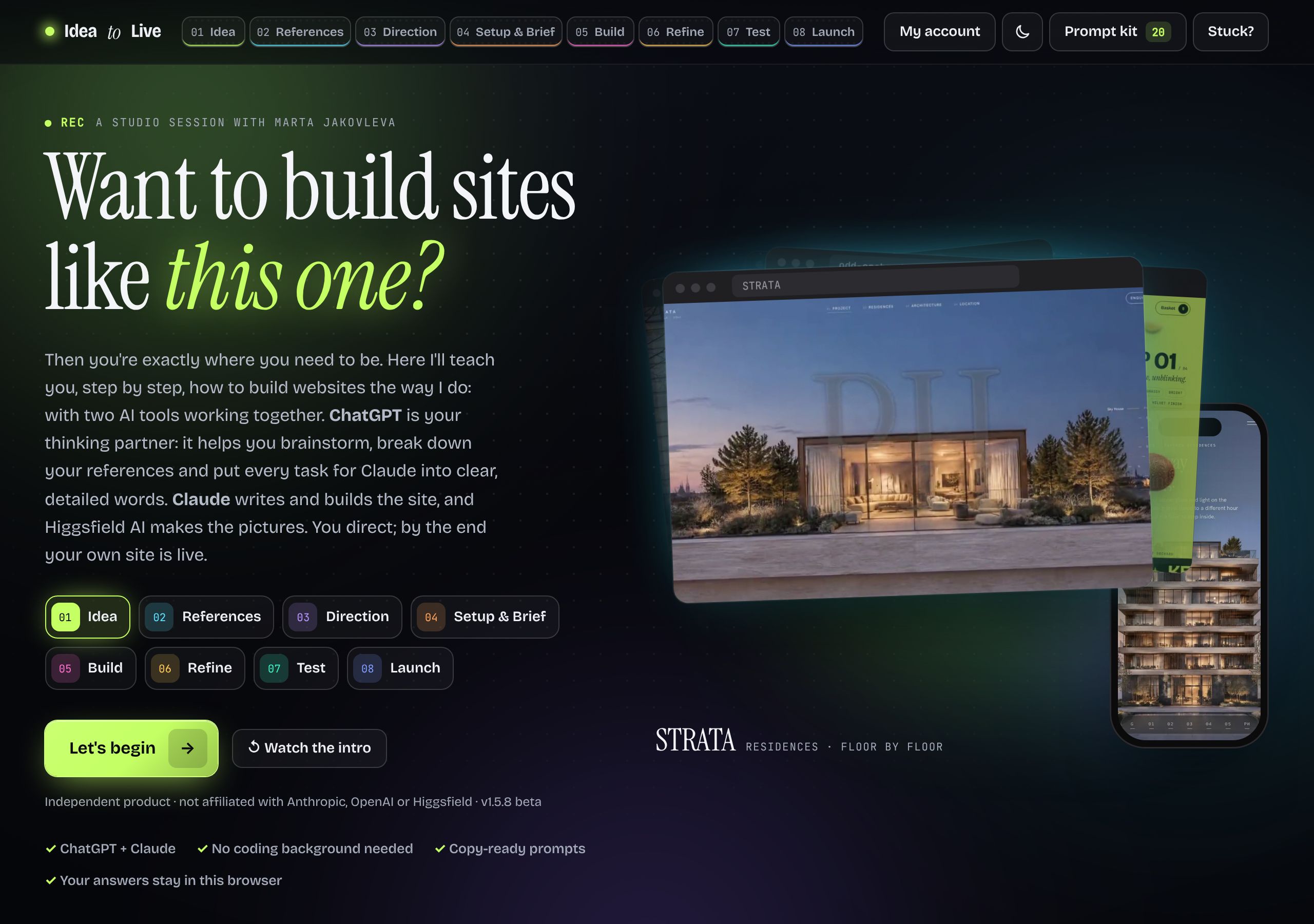
The Idea to Live builder: the start screen with the eight steps
A video course

You watch someone else build their website.

  • Pause, rewind, guess
  • Prompts copied from a screen
  • No idea if your result is right
Idea → Live

You build yours. Step by step.

  • Questions about your own project
  • Prompts filled with your answers
  • "Done when" checks on every step

The real secret

Claude is powerful. But the way you guide it changes everything.

Many people open Claude, type “make me a beautiful website”, and expect a premium result. Without a creative direction, design rules and a process, AI falls back on safe habits: plain layouts, gentle fades, a page that looks like every other AI-made site.

Without a system

YouMake me a beautiful website for a coffee shop.

Illustration of a typical one-line result, made for this page. Not a recorded test.

  • One flat screen, no story
  • Default fonts and spacing
  • Nothing moves, nothing to remember

With Idea → Live

BuilderYour answers, references and direction, written into a prompt. Skills loaded: design-foundations, hero-moment, scroll-story, motion-pass…
umber-coffee-ten.vercel.app

UMBER: Marta’s café concept, built with Claude through this process. Choose coffee by taste and the room changes with you.

  • A clear idea and one signature moment
  • A design system Claude keeps to
  • Designed motion, phone version, real checks

What are Skills?

Think of Skills as specialised knowledge and working instructions that teach Claude how to approach a specific task.

Each one is a tested recipe for one job. You add them to your Claude project in Step 4, and the prompts in the builder name the right one at the right moment. In the builder’s own words: “Without them Claude falls back on its generic habits: plain fades, a still first screen, a page that looks like every other AI-made site.”

  1. Skillsgive Claude specialised working instructions.
  2. The Design Kitgives your project a foundation: design-system.md, decisions.md, rules.
  3. The buildercollects your decisions, one question at a time.
  4. The promptscarry those decisions to Claude, filled with your answers.
  5. Youguide, review and refine, with checks on every step.

We don’t just teach you what to write to Claude. We help you prepare Claude to work better, and teach you how to direct it.

See it working

Six moments from inside the studio.

Real screens from the builder. Click through them like you would on day one.

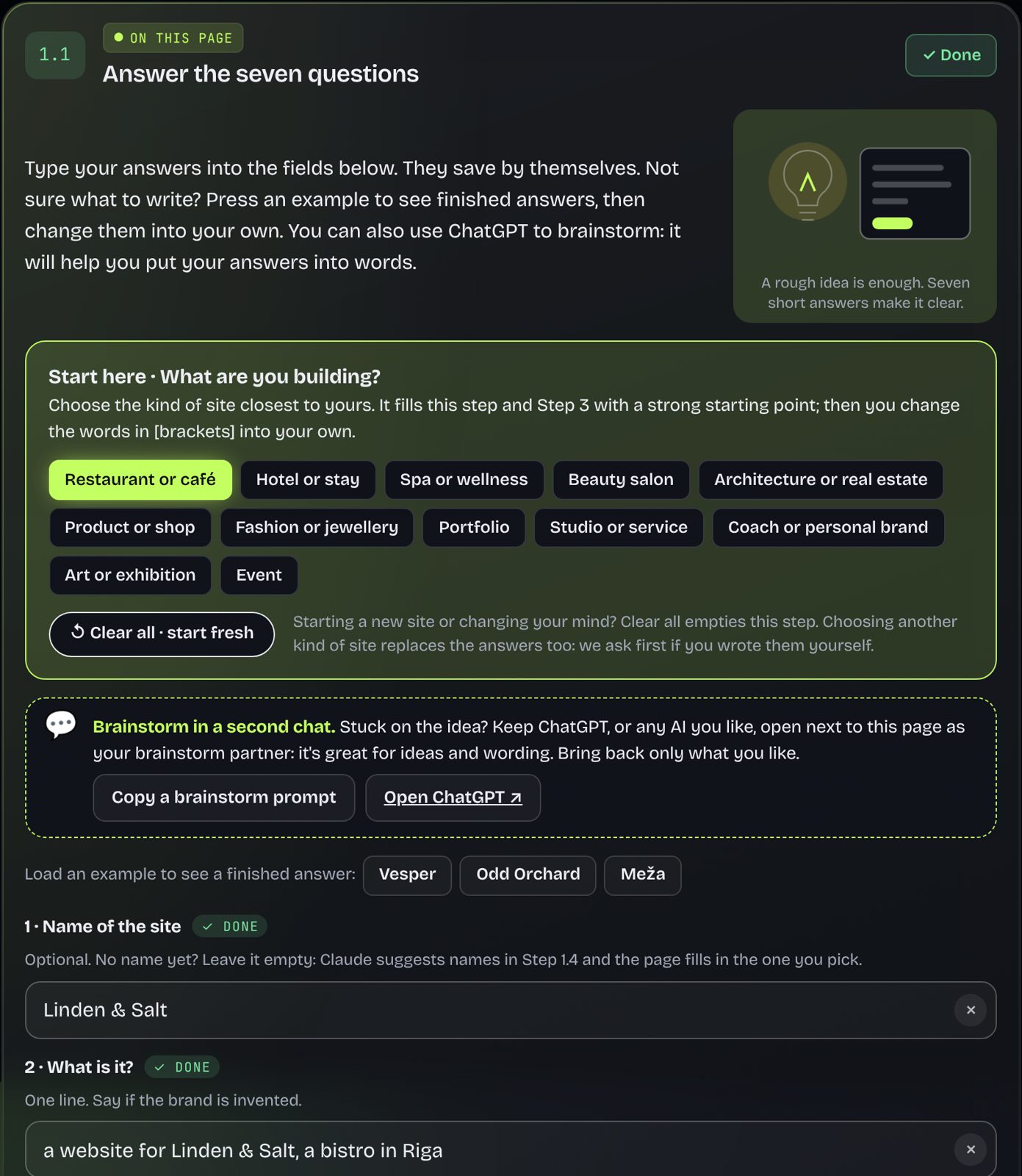
Step 1 · Idea

Start with a few plain answers.

Pick the kind of site closest to yours (12 starter kits, from a café to a portfolio) or start from scratch. Seven short questions: the name, what it is, who it's for, what a visitor should do, your idea, the feeling, the sections. They save as you type.

  • 12 starter kits fill a strong first draft
  • Examples show what a good answer looks like
Step 1.1 in the builder: starter kits and the seven questions

Preview · try it

Your words land inside a tested prompt.

This mini preview uses a short excerpt of the real build prompt. Choose a type, write a name and an idea, and press Generate.

Build the whole sitePrompt · Step 5
Underlined: your words. In the course this prompt also carries your sections, look, motion, picture plan and checks.

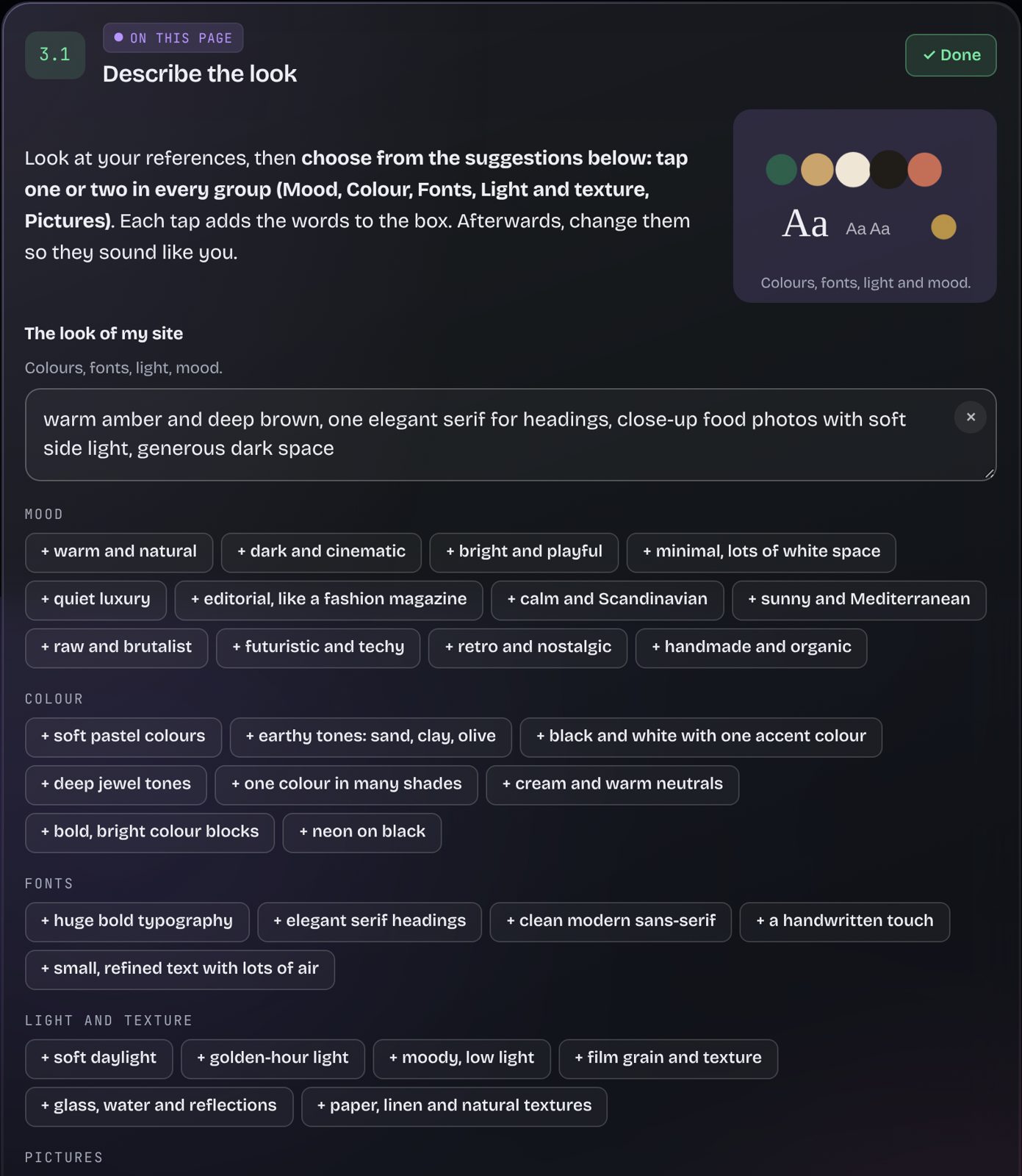
Step 3 · Direction

Decide the look, without design vocabulary.

Look at your references, then tap suggestions in every group: mood, colour, fonts, light and texture, pictures. Each tap adds the words to your description, and you rewrite them in your own voice. Your sections and content get planned here too.

  • References on a board with "borrow" and "avoid" notes
  • Mood, colour, type and picture suggestions
Step 3.1: describe the look with mood, colour, font and picture suggestions

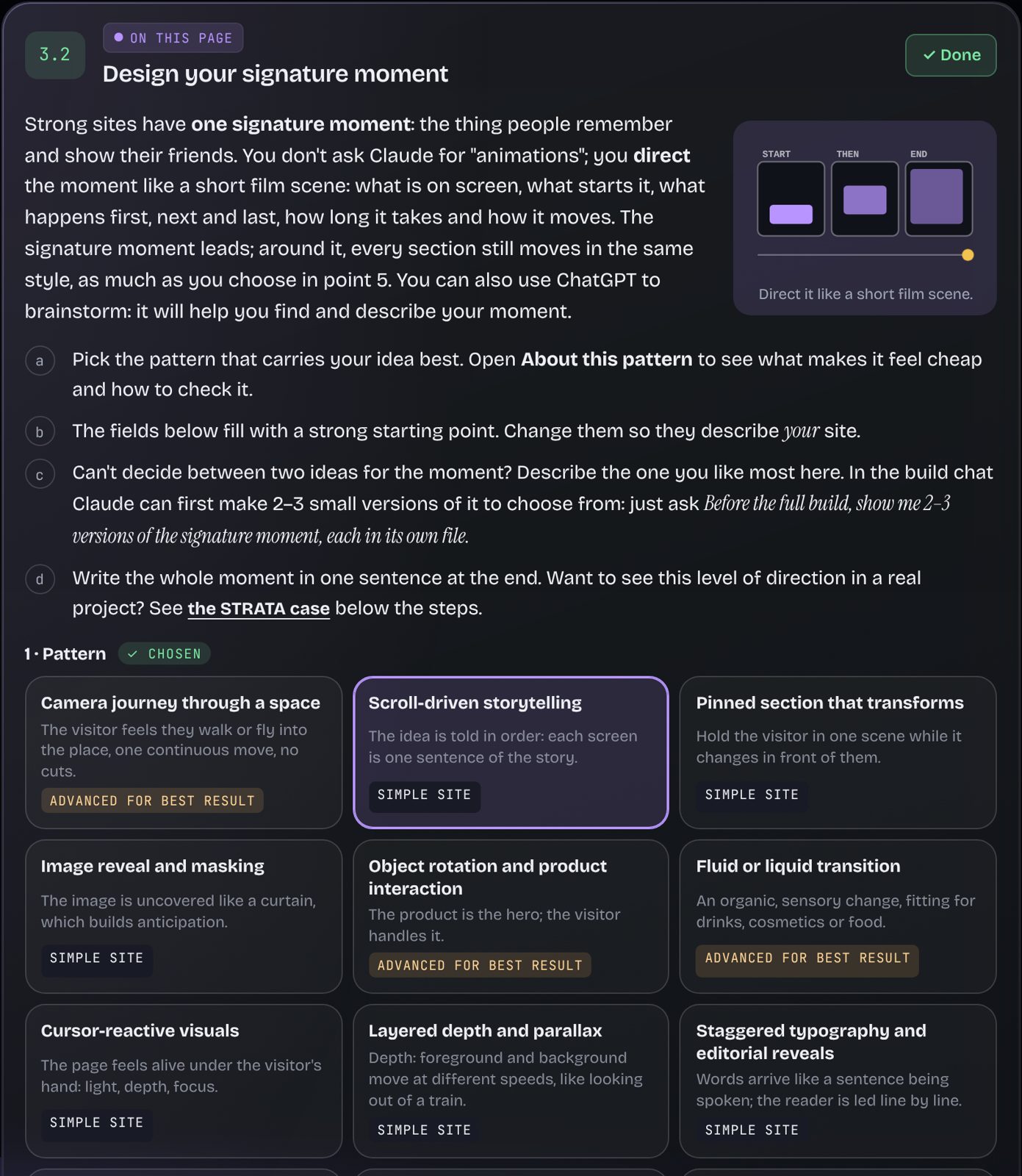
Step 3 · Motion

Direct motion like a film scene.

Choose one signature moment from 12 motion patterns, each explained like a director's note: what the visitor feels, what moves, how long, what must not go wrong. Then pick how much the whole page moves: Calm, Rich or Spectacular.

Cursor-reactive
Object interaction
Pinned scenes

Clips: Marta's own sites, as examples of each pattern.

Step 3.2: design your signature moment with motion patterns

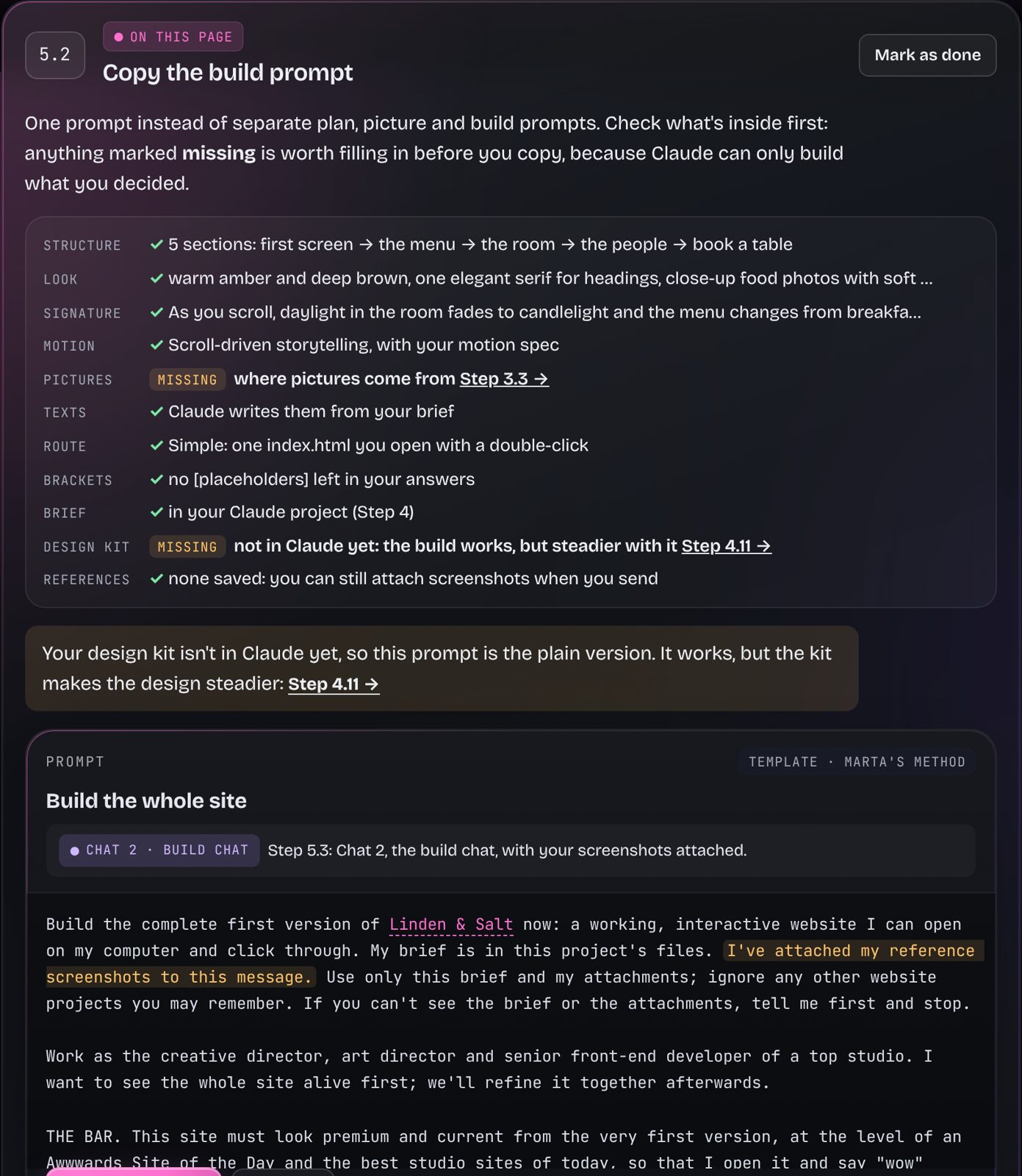
Step 5 · Build

One prompt builds the whole site.

Everything you decided is already inside: the idea, the sections, the look, the motion spec, the picture plan, and a quality bar Claude checks itself against before it hands anything over. Copy, paste, send, and watch it come alive.

  • Underlined words came from your answers
  • A checklist shows what the prompt contains
Step 5.2: copy the build prompt, with a checklist of what it contains

Steps 7–8 · Test and launch

Check it like a stranger. Then go live.

Claude runs an audit, then you tick every point yourself on a laptop and a phone. Step 8 walks you through GitHub and Vercel to your own address, and the wrap-up shows everything you did.

  • "Mark as done" only when it's really there
  • A project pack to download at the end
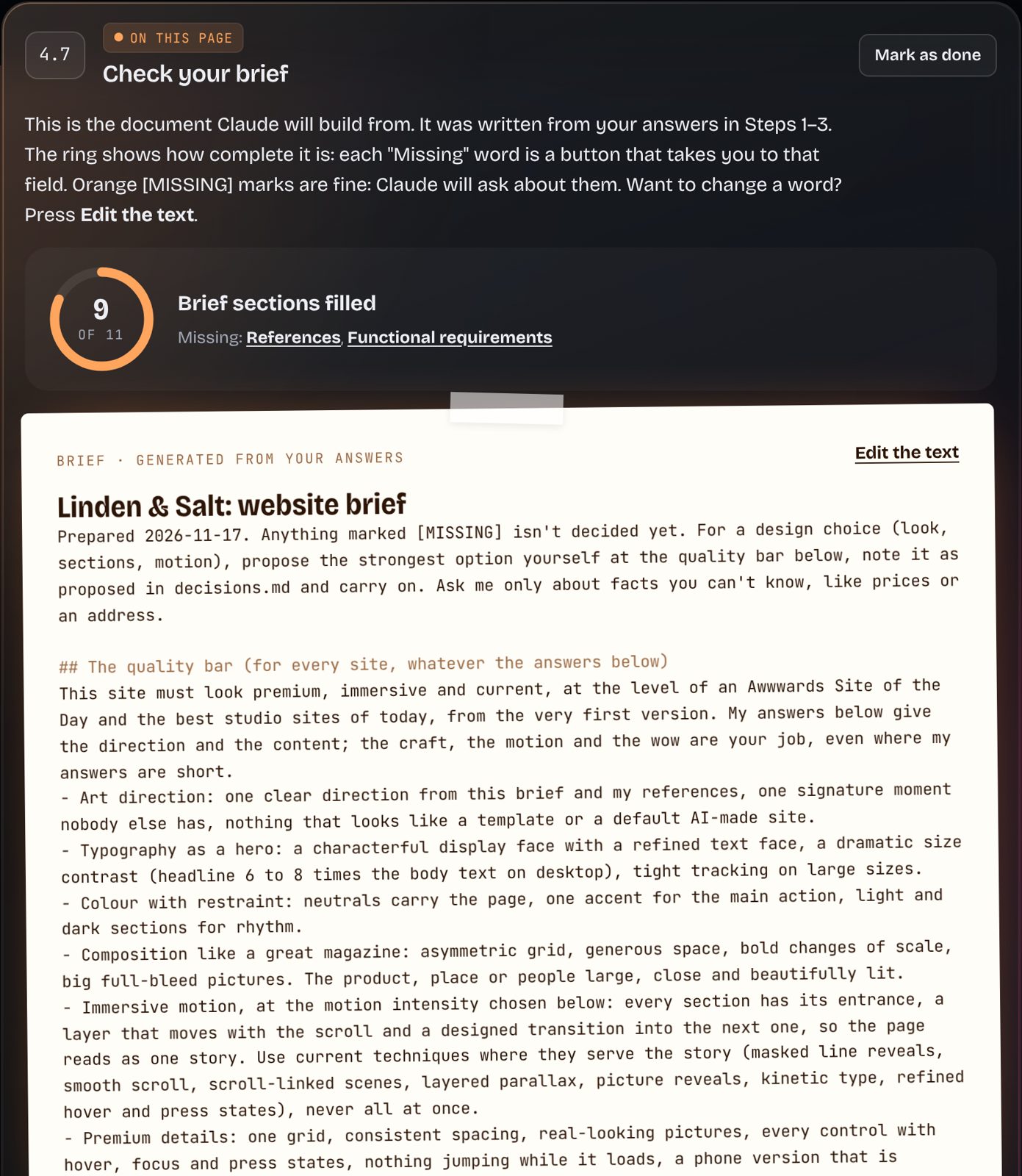
Step 7.3: the self-check list with a progress ring

The journey

You don't need to know everything. Just the next step.

Eight stages, each with one job. Open any of them to see what you'll do there.

    Proof, not promises

    Everything Marta has built this way.

    Seventeen websites and six interaction studies, all built with Claude and directed by Marta. They show the range this approach can reach. They’re examples and inspiration, not templates included in the purchase: your site will be your own.

    Interaction studies

    The cursor doesn’t have to be an arrow.

    Six small studies, each built around one gesture of the hand. Open one on a computer and move your mouse.

    The transformation

    From ideas in your head to a site on the internet.

    Drag the line.

    Before
    like this?

    where do I start??

    what do I even tell the AI

    make it look… professional?

    animation how

    • An idea in your head
    • Random inspiration screenshots
    • No clear design direction
    • No idea how to build it
    After
    Your project brief in the builder
    your-site.vercel.app
    • A structured project brief
    • A visual direction and a motion spec
    • Prompts filled with your answers
    • A tested, published website
    1. Ideaone sentence
    2. Briefa document Claude reads
    3. Directionlook and motion
    4. Promptswith your words
    5. Sitebuilt by Claude
    6. Liveyour own address

    The finished site shown is Marta's SERRA, as an example. Your site will be your own.

    What you get

    The substance behind the price.

    The real value

    You’re not just learning to build one website. You’re learning a skill you can use again.

    Once you know the workflow, the same thinking works for a portfolio, a small business, a studio, a product launch, a restaurant, a landing page. Real bookings, payments and shops need outside services; the course shows you where those start, and builds them as clearly labelled demos.

    • A practical creative skillYou learn to make a website, not just to get one.
    • Clearer conversations with AIWhat to tell Claude, in what order, and how to give notes that fix things.
    • The whole processIdea, references, direction, brief, build, refine, test, launch.
    • Design thinkingA signature moment, a type scale, a picture plan: decisions, not generated pages.
    • Any projectA café, a portfolio, a studio, a product: the same eight steps.
    • Yours to return toStart your next site with the same system.

    Free · Step 1

    Don't take our word for it. Try it yourself.

    Start with your idea. Answer a few simple questions here, then continue in the real builder: your answers are already there. They stay saved in your browser, so after buying you simply carry on.

    Open Step 1 empty
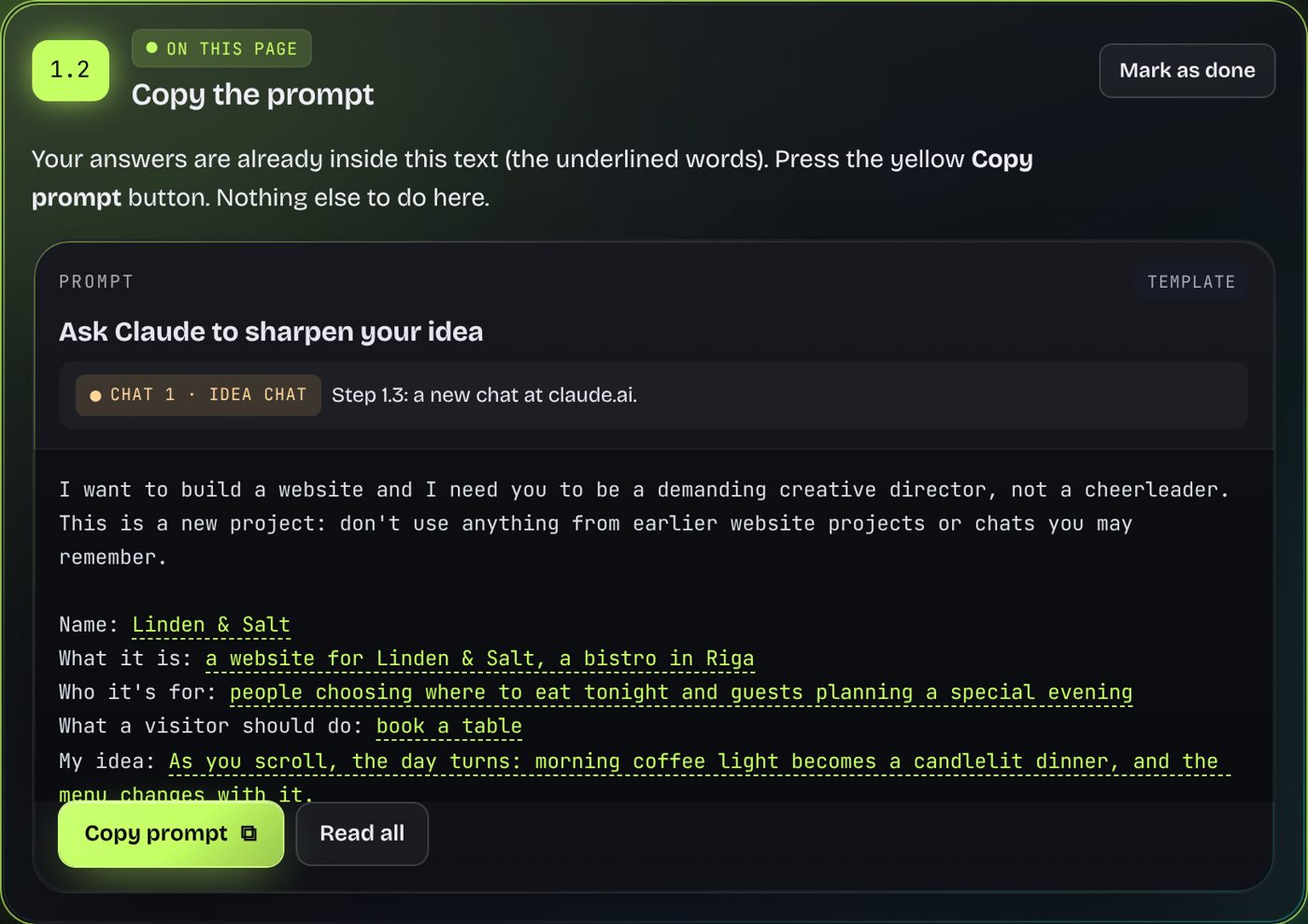
    Step 1.2: the idea prompt, already filled with your answers
    Next in the builder: your prompt, filled

    Price

    One payment. Yours to keep.

    Idea → Live · full access

    €29one-time payment
    no subscription
    • All 8 guided steps, from idea to a live site
    • 28 ready prompts, filled with your answers
    • 12 starter kits for common kinds of site
    • The design kit for Claude: project files and skills
    • 12 motion patterns with director's notes
    • Checklists, fixes for common problems, a project pack
    • Progress saved in your browser, plus backup and restore

    What you'll need · check before you buy

    Claude Pro or higher

    The course is designed around Claude's Opus model, skills and long build sessions, which the free plan doesn't cover. One month is enough for a first site.

    A laptop or desktop

    For building and publishing. A phone is fine for reading along.

    Pictures Your choice

    Generating images can cost extra, depending on the tool (Higgsfield uses credits). Your own photos or placeholders are free.

    GitHub and Vercel Free accounts

    Used in Step 8 to publish. Vercel's free Hobby plan is for personal, non-commercial sites only; a site for a business or a client needs Vercel's paid plan or another host.

    Time

    About 5–10 hours on the full route, 3–4 on the quick route, split over a few evenings.

    1. Pay once by card, Apple Pay or Google Pay.
    2. You're in right away, with a personal key for your other devices.
    3. Open the builder. All 8 steps unlock, your Step 1 answers included.

    Prices of Claude, image tools, GitHub and Vercel change and depend on your country: check their pricing pages before you subscribe.

    The Private Museum, one of Marta's sites

    Who made this

    Built with Claude, directed by me.

    I'm Marta Jakovleva, a UX/UI designer and AI visual creator in Riga. I make immersive, motion-rich websites with Claude: museums you walk through, products you turn in your hands, restaurants that sell the evening.

    Idea → Live is that process written down for beginners: what to decide, in which order, and exactly what to tell Claude so the result looks designed, not generated.

    See my portfolio ↗

    Questions

    Before you start.

    Your turn

    Your idea could be your first website.

    Start with Step 1 for free, or open all eight steps now.

    Try Step 1 free€29